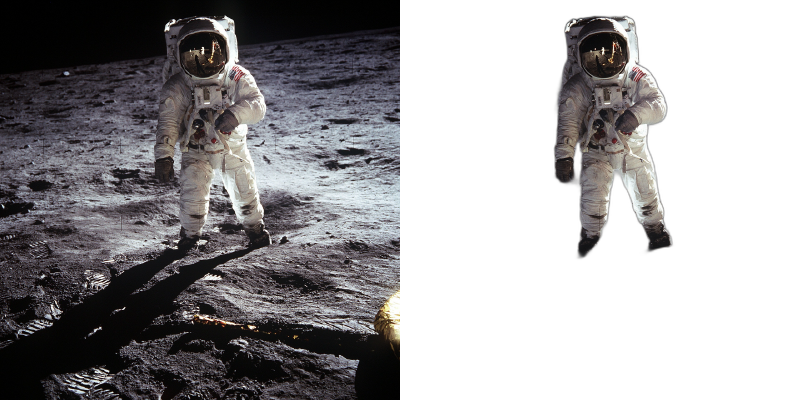
Upload your file and remove the background instantly
Simply upload your image by clicking the upload button or dragging and dropping it onto the page. Our AI will automatically detect the subject and remove the background in seconds. You can then download the result with a transparent background.
The Normal model works great for any subject including products, objects, and people. The Human model is specially optimized for portraits and full-body photos, providing better edge detection around hair and skin tones.
Pro users can upload and process multiple images simultaneously with our bulk processing feature. Free users can process one image at a time, up to 3 images per session.
You can download your processed images as PNG (recommended for transparency), BMP, or TIFF. PNG is the most common format for images with transparent backgrounds.
Free users can upload images up to 10MB. Pro users can upload images up to 50MB for higher resolution processing.
The checkerboard pattern indicates transparency. When you download the PNG file and use it in other applications, those areas will be transparent, allowing any background to show through.
Export Mask Only outputs a black and white image where white represents the subject and black represents the removed background. This is useful for video editing software, compositing in Photoshop, or creating custom masks for advanced editing workflows.
The checkerboard pattern indicates transparency. When you download the PNG file and use it in other applications, those areas will be transparent, allowing any background to show through.
We support large file uploads with no practical size limit for most use cases. Upload high-resolution images without worrying about file size restrictions.
For product photography, use the General model and enable Alpha Matting in Advanced Options. Use good lighting with clear contrast between product and background. For products with fine details, increase the Base Size setting for higher quality edge detection.
Professional image editing tools powered by AI for photographers, designers, and e-commerce.
Achieve pixel-perfect edges around hair, fur, and semi-transparent objects with our advanced alpha matting technology. Adjust thresholds for optimal results.
Upload an image to use as background
Add any solid color background to your videos or images. Perfect for branded content, presentations, and professional-looking media with consistent backgrounds.
Export grayscale masks for use in other editing software. Create precise selections for advanced compositing and retouching workflows.
Process multiple files at once with our bulk upload feature. Save time by removing backgrounds from entire product catalogs or photo collections.
Export images as PNG (with transparency), BMP, TIFF, or keep the original format. Videos export as MOV (with alpha), MP4, or animated GIF.