Remove video background

Upload your file and remove the background instantly

Video Options:

Files deleted after 24 hours

or Drag and Drop files here

Uploading

0%

Remove video background: How to remove the background from a video

1.
To remove the background from a video, drag and drop or click our upload area to upload the file

2.
Your file will go into queue

3.
Our machine learning/artificial intelligence software will remove the video from your file

4.
You can then save the GIF or MOV of your video with it's background removed
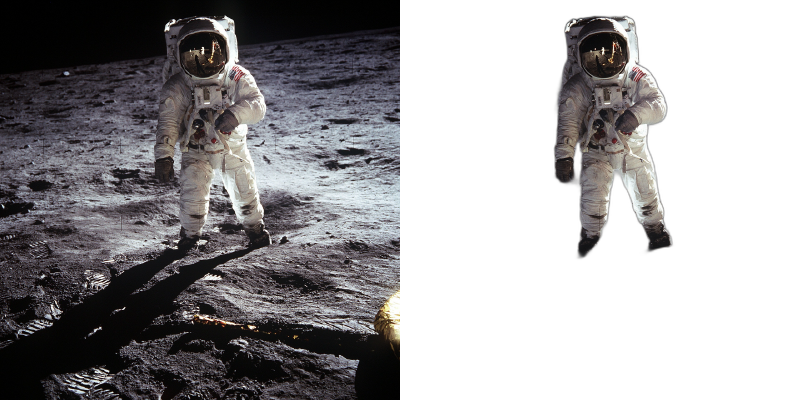
Remove video background

Frequently Asked Questions

Upload your video file and select your preferred AI model. Our system processes each frame to remove the background while maintaining smooth motion. Video processing takes longer than images due to the frame-by-frame analysis.

Free users can process the first 5 seconds of any video. To process full-length videos, you'll need to upgrade to a Pro plan.

Processing time depends on video length and resolution. A 10-second video typically takes 1-2 minutes. Longer videos may take several minutes. You'll receive a notification when processing is complete.

We support MP4, MOV, AVI, and WebM input formats. Output videos are delivered as MP4 or WebM with an alpha channel for transparency.

Yes, all processed videos can be used for personal or commercial purposes. You retain full rights to your content.

Select 'Solid color' in the background options and use the color picker to choose any color. This is perfect for creating videos with branded backgrounds, uniform backdrops for presentations, or professional-looking content with consistent colors.

A Matte Key outputs a grayscale video where white represents your subject and black is the background. Use this in video editing software like After Effects, DaVinci Resolve, or Premiere Pro to create custom composites with precise control over transparency levels.

Processing time depends on video length, resolution, and selected options. A 10-second 1080p video typically takes 1-2 minutes. Longer or higher resolution videos take proportionally more time. You'll receive a notification when processing is complete.

Yes! In Advanced Options, you can set a custom framerate (FPS). Leave it on 'Auto' to match your input video, or specify a value between 1-60 FPS. Lower framerates reduce file size; higher framerates create smoother motion.

Frame Limit restricts processing to a specific number of frames. This is useful for testing settings on a portion of your video before processing the entire file, or for creating short clips from longer videos. Leave empty for no limit.

We support MP4, MOV, AVI, WebM, and most common video formats. For best results, use H.264 encoded MP4 files. We support large video uploads with no practical file size limit.

Yes, all processed videos can be used for personal or commercial purposes including YouTube, social media, advertising, and client work. You retain full rights to your content.

Powerful Features

Our AI video background remover includes professional-grade tools for content creators, filmmakers, and video editors.

Transparent Video Export

Export videos with alpha channel transparency in MOV format. Perfect for overlaying on any background in editing software like Adobe Premiere Pro, Final Cut Pro, or DaVinci Resolve.

Video Background Replacement

Replace your video background with any image or video. Create virtual sets, scenic backgrounds, or combine multiple video sources without a green screen.

Custom Color Backgrounds

Add any solid color background to your videos or images. Perfect for branded content, presentations, and professional-looking media with consistent backgrounds.

Animated GIF Creation

Convert videos to transparent GIFs for social media, websites, and messaging apps. Create eye-catching animated content that stands out.

Professional Matte Keys

Export black and white matte videos for professional compositing workflows. Use in After Effects, Nuke, or any software that supports track mattes.

Multiple AI Models

Choose from specialized AI models: General for any subject, People for portraits with better hair detection, and Fast for quick previews.

Or drop your files here

222,185
Files converted

-
Loading...